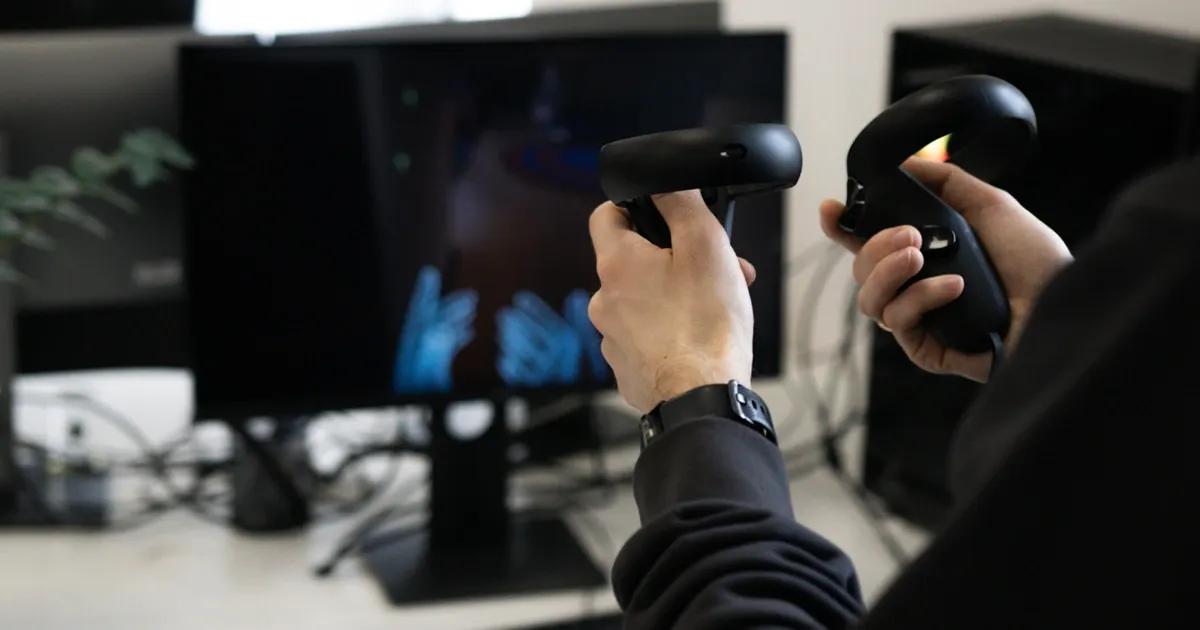


Say you've worked for years developing an original game with a great story and intriguing characters. You’re excited for the launch, so you let a mix of users try it out before the big day. All of a sudden, the excitement drops. They’re coming back with negative feedback. Not all were able to enjoy all the features you had put so much effort into. And you’re left wondering—why?
When developing games, it’s not uncommon for development teams to overlook accessibility aspects and not see anything inherently “wrong” about the functions they've implemented. This usually happens because no accessibility guidelines were given to them during the planning phase. Or the topic of accessibility didn’t even make it to the meeting. What may have looked good to development teams during production is now becoming a huge bottleneck for disabled gamers. This results in certain users feeling excluded, invisible, and disappointed.
According to a study by Samsung Pioneers, 81% of gamers with some sort of disability have struggled to play their favorite games due to inaccessible features, like a lack of customisable control options, hard-to-read text, fast-paced gameplay, and flashing lighting effects. As a result, 39% of those surveyed have been forced to stop playing a game.
To ensure your video game is accessible to all users, regardless of ability, it is vital to build inclusive digital experiences and implement accessibility features. They are related to aiding those experiencing visual, hearing, motor, and cognitive impairments.
A way to benchmark the accessibility of your games is to evaluate which accessibility features are present and which are missing. In order to make sure your video game is accessible to all, we will look at four key ones to check for, touching on each of the aforementioned impairments.
TL;DR
30-second summary
Inclusive game design ensures players with visual, auditory, motor, and cognitive impairments can fully participate in gameplay. Practical accessibility features—such as adaptive UI, customizable audio controls, remappable inputs, and flexible difficulty settings—remove barriers and improve the experience for all players. Integrating accessibility early in development, testing with diverse users, and aligning with accessibility guidelines helps teams avoid costly redesigns, meet regulatory expectations, and create games that reach a wider audience.
- Designing adaptive visuals for inclusive gameplay. Flexible UI, readable fonts, and color-blind settings ensure visually impaired players can navigate games effectively.
- Providing visual alternatives to audio cues. Visual indicators, subtitles, and text notifications ensure critical gameplay information remains accessible without sound.
- Supporting diverse input needs through hardware and software. Remappable controls and adaptive hardware compatibility enable players with motor impairments to interact comfortably.
- Reducing cognitive load with flexible gameplay systems. Adjustable difficulty, replayable tutorials, and contextual hints support players with cognitive and attention challenges.
- Embedding accessibility testing throughout development. Early testing with diverse users ensures compliance, prevents costly redesigns, and improves overall game usability.
1. Visual accessibility features
Visual accessibility supports users who are visually impaired, either partially or fully blind. What’s more, visual accessibility also applies to temporary situational disabilities, like dimly lit rooms, unexpected injuries, or other atypical situations and environments.
In terms of gaming, visual accessibility means providing extra attention to the whole user interface (UI), as well as every visual touchpoint your users may encounter. It’s not only about the design and aesthetics, but also about adaptiveness and giving your gamers options to choose from.
This way, gamers with low vision, color blindness, or other visual processing challenges can actually enjoy what you've created.
Adaptive text and UI
Adaptive text and UI are the most noticeable accessibility features, as they’re easiest to spot and most annoying when gotten wrong.
No matter the format—online or offline—games should be able to adapt to device specifications. The market offers a variety of devices to play on: smartphones, game consoles, handheld consoles, PCs, VR headsets, tablets & others; ensuring that your game is playable on each of them is crucial.
As seen below, Foundation: Galactic Frontier is lacking adaptability in text and UI elements in its mobile game. Some of the text displayed at the top of the screen gets hidden by the dynamic island (not visible in screenshots) of not only iPhones, but also other phone models that share a similar design. Moreover, the conversation bubbles in the game are often cut off by a quickly moving angle, which makes it difficult to read and see everything on time. For visually impaired gamers, it may cause unnecessary difficulties, stress, and an inability to understand the story and objectives.

High-contrast modes and colorblind-friendly settings
Settings that many gamers use for fun or because of preference, like dark mode and other color palette adjustments, are actually critical accessibility features. They allow for people with visual impairments to tweak the visual game settings to their own liking, without sacrificing the whole experience or parts of it.
Going off the example of UNO!™, as seen below, the “Beyond Colors Deck” allows people with visual impairments, such as colorblindness, to be able to discern the cards. To able-bodied people, this may just seem like adding shapes and other elements; however, for many, this is a necessity to be able to play the game productively and effectively.

Clear iconography and readable fonts
Your icons are not only important for including your gamers in the storyline and fantasy, but also for showing your attention to detail and usability. A big factor for icons is whether or not they are easily recognizable, with an almost instant understanding rate, applying to both able-bodied and disabled gamers.
Important factors of iconography to keep in mind:
- Understandable even in small sizes
- Simple shapes
- Clear symbols
- A clear, consistent visual style
If the design of an icon is intended to stand out or have unusual elements, then a little pop-up window or label is especially helpful for understanding its functionality.
The game Timelie (as seen below) showcases a good example of icons representing the overall design, while effectively providing explanations of them at the same time.
Screenshot with an Example of Clear and Explained Iconography: Timelie.

Readable fonts
Readability is one of, if not the most important, factors to look out for in terms of visual accessibility features. Whether or not your gamers will be able to read text in your games will determine if they can even play the games productively and accurately understand their proposed objectives.
Text in your games should be:
- Customizable and easy to read (in relation to colors, sizing, backgrounds, opaqueness, and position)
- Appropriately sized (without obstructing the game UI)
- Clear and legible (this also pertains to the color of the fonts you choose)
- Visually sorted, in hierarchies (using different font weights to differentiate things like titles, character names, objectives, and map locations)
- Timed appropriately (not disappearing too fast from the screen, so gamers can read all of the texts)
- Displayed in a manner that won't disturb or distract from the gameplay.
Tip: A good practice is to have light fonts in front of dark backgrounds, and dark fonts in front of lighter backgrounds.
As seen below, Life is Strange is a clear example of an appropriately sized, clear, and easy-to-read text. Overall, referencing the aforementioned bullet points about the best practices, the fonts of this specific video game nail almost, if not all, of them.

Keep in mind that we've highlighted just the most important and basic visual accessibility factors. Each gaming experience is different and requires individual attention to detail. By creating focus groups, doing research, and creating space for feedback and improvements, you’ll be sure that your particular audience will be accounted for.
2. Audio accessibility features
Audio accessibility features will make-or-break the experience for gamers with hearing impairments. These can be permanent, like hard-of-hearing & deaf users, or situational and temporary: loud environments, unexpected injuries, or illnesses.
In our specific case of gaming, these audio cues actually tie in with the visual ones, providing visual indications when auditory cues aren't a viable option.
Visual indicators for directional or critical actions
Many indicators, like shooting sounds in shooter games or walking noises in story-based action games, are portrayed in the form of sound effects. For people with hearing impairments, this becomes a near-deal-breaker. If gamers can't anticipate or react quickly enough to cues, they risk having unfair competition, becoming frustrated, or losing the game altogether.
A good example of visual indicators in gaming is in Call of Duty: Mobile, as seen below, with icons of grenades being visual indicators of oncoming explosions. In this case, because of their presence, a gamer doesn’t need to hear sound effects of shots being fired or actions happening around them; instead, they can rely fully on the visual information.

Fun fact: Many able-bodied gamers use these visual indicators to their advantage, which just makes implementing them that much more convenient for an overall satisfying gameplay experience for all.
Audio sliders for individual sound channels
For gamers with impaired hearing, having an overstimulating amount of sounds playing can ruin the whole experience. For this, it is important to implement audio sliders for individual sound channels. For example, if a gamer would like to listen to the story or conversation of a game, they might want to turn down the background music or sound effects to better hear.
However, if there were only one audio slider for the volume of the whole game, there would be no way for that gamer to be able to hear the story, and therefore, immerse themselves in the experience you've spent so long perfecting.
As seen below, the same Call of Duty: Mobile also shows a good example of having many audio sliders available. The more intricate your audio sliders are, the higher the chance that your hearing-impaired gamers will be left satisfied, not frustrated or confused.

Optional text-based alternatives to audio-only gameplay elements
In the context of gaming, audio-only games may seem like a niche, but they are actually the core concept for many, like Perception and A Blind Legend. Games like these rely heavily on sound design, effects, and auditory cues.
Now, if we take a step back, this concept works great for people with visual impairments; however, to make it accessible and playable for everyone—including gamers with hearing impairments—it becomes vital to consider implementing text-based alternatives to these elements or experiences. By adding text-based alternatives, you account for those who would otherwise struggle to enjoy the games to a full extent.
The beauty of this accessibility feature is the diversity. Depending on your specific case, it could be either a line of subtitles, a transcript of the whole story, or specific text on the screen that indicates an item being picked up. The list goes on, but it’s important to try to integrate these elements into the UI as smoothly as possible, as we discussed previously.
As seen below, Call of Duty: Mobile does a good job of showing text-based alternatives in addition to audio cues of items being picked up.

By putting some extra thought into the experiences of your hearing-impaired gamers, you’ll be able to guarantee that audio-based cues, serious auditory actions, and whole storylines won't get missed or swept under the rug for later. All thanks to audio accessibility features.
3. Motor accessibility features
Let’s move on to motor accessibility features, which will help account for your gamers with motor impairments, like limited mobility or non-standard input needs. Moreover, they are also useful in relation to unexpected traumas or other physical complications, which have been felt by most gamers at least once. There are two ways to account for motor accessibility in gaming: either through hardware or through software.
Enabling motor accessibility through hardware
First, let’s look into hardware. Adaptive gaming equipment, according to AbleGamers, refers to: “devices or tools designed to assist individuals with disabilities in performing daily living activities more independently and efficiently.” These devices can come in all shapes and sizes, depending on the severity or specific case of the motor impairments your gamers may experience.
For example, one of the biggest leaders of hardware and software in the video gaming industry, Sony Interactive Entertainment Inc., released its Access controller 3 years ago and designed it in close collaboration with the accessibility community.

The controller features many possibilities for customization. Players can customize buttons and stick caps, and adjust stick length. It can also be mounted and placed on various surfaces, including an AMPS pattern mount, which is an industry-standard screw pattern for attaching devices to equipment, including accessibility.
Unfortunately, the range of accessibility gaming devices in the market isn’t that large just yet. Because of such releases of big players like Sony, however, new devices and solutions are being developed and starting to appear in stores more often. Whether or not the game you create will be compatible with such devices will determine the quality of the whole experience for gamers with motor impairments.
Enabling motor accessibility through software
When it comes to software, there are more standpoints through which you could enable motor accessibility. These standpoints include customizable and remappable controls, support for additional devices or tools, adjustable sensitivity, and motion & toggle settings, to name a few.
Remappable controls
Remappable controls are a popular setting. Even able-bodied gamers tend to change these settings, especially when developers implement innovative or hard-to-navigate controls to follow. This can range from changing from WASD to arrows for navigation to changing the pre-programmed actions of buttons on physical controllers.
A good example of this is the Nintendo Switch controller, which supports remapping and provides extensive instructions for doing so.

By remapping buttons, gamers with motor impairments can change the functionalities of their gaming devices, both physical and virtual, to accommodate their specific needs, and not have to compromise with the whole gaming experience.
Compatibility with alternative input devices
As we already explored, gamers with motor impairments may require additional devices, like adaptive controllers, eye tracking solutions, and switches, to be able to play games effectively. For this reason, it’s important to make sure you address compatibility with alternative input devices. Specifically, games should be compatible with devices that gamers with motor impairments may need to use.
Adjustable motion controls
Being able to adjust and customize the preset motion controls is one of the most vital motor accessibility features. It determines whether or not your gamers will be able to navigate through and experience the game, given their limitations.
These settings include mouse/camera sensitivity, hold/toggle options, smoothing/sharpening, click delays/button hold delays, and many others. Another often overlooked motor accessibility feature is input and action complexity. Specifically, making sure that the objectives you set out aren’t too physically complex or straining to complete. This can sometimes mean sacrificing game difficulty and sophistication, but it’s also the reason why implementing different difficulty levels (which can always be toggled) will help to set the base level to an appropriate level for each of your gamers’ preferences.
As seen below, Minecraft: Dream it, Build it! does a good job of providing many settings related to motion controls; additionally, these settings can be adjusted for playing on console, PC setups, or just by using the touchscreen.

4. Cognitive accessibility features
Last but not least, let’s look into cognitive accessibility features. Whether or not you implement them will determine if your gamers with various cognitive, learning, or attention-related disabilities will be able to enjoy the experience to the full extent.
Adjustable difficulty without penalty or stigma
A gamer’s enjoyment when playing a game, as research suggests, fully depends on the difficulty level of said game. Namely, a player’s enjoyment and experience peak when the endeavor is appropriately challenging. The “flow state” can be achieved only when the player’s skill level and the game’s difficulty are similar or equal.

Respectively, we see how important difficulty settings are. Without them, you risk making the game too easy, resulting in boredom, or making it too hard, resulting in anxiety. Moreover, the more granular you make these settings, because they’re not “one size fits all”, the higher the chance that you’ll have accounted for all of your players.
To add, making these difficulty toggles and settings stigma-free will limit the embarrassment that some players with cognitive impairments (and without them) tend to experience when playing games. As seen below, the game Dead Effect: Space Zombie RPG shows a really good example of accessible and destigmatized difficulty settings.

Game introduction and continuous support
Clear and replayable tutorials
For gamers with cognitive impairments, introducing the game with tutorials can help them grasp all the objectives you’ve set out for them. Additionally, allowing for these tutorials to be replayed at any point in the gameplay will give them the ability to take longer breaks between sessions and be able to come back and not lose all their progress. As a bonus, you can incorporate story elements into your tutorials, ultimately catching your gamers’ attention from the very start.
On the other hand, making sure these tutorials are also skippable at any point in time will help those who’ve already played not feel frustration or annoyance.
Optional hints and reminders
Offering your gamers additional reminders and hints after certain periods of inactivity can show support, and make their gaming experience go smoother. Hints like going in certain directions or reminders about objectives to complete will ultimately improve your gamers’ experience.
As seen below, Life Is Strange helps users complete difficult objectives by providing timely hints as reminders. Such hints are most helpful when the gamer takes a while to complete an objective, or trails off in opposite directions from the defined target ones.

Accessibility testing for games
Now that we’ve looked into how accessibility can be enabled in gaming, let’s review what testing for accessibility in gaming entails.
Testing for compliance with guidelines
One of the main factors to take into account regarding accessibility is local and global guidelines. They help to provide an obligatory baseline of accessibility features to be included in your gaming solutions. Thus, it’s important to test for compliance with regulations before anything else, to avoid fines or other unnecessary issues. Let’s break down the major ones:
European Accessibility Act (EAA) - Directive (EU) 2019/882
Active as of June 2025, the EAA focuses broadly on digital services and products distributed in the European Union, such as computers and operating systems, smartphones, access to audio-visual media services, and more. Certain references of it can apply to game interfaces, the distribution of them, and access to them in marketplaces. It applies to digital products and services in reference to:
- Encouraging subtitles and contrast settings.
- Mandating the usability of digital products by as many users as possible, without the need for special adaptation.
21st Century Communications and Video Accessibility Act (CVAA)
Applying to digital products and services which are intended to be distributed in the United States of America, the CVAA mandates accessibility for “advanced communication services”. Its main focus is on the telecommunications industry, though it does apply to video games, specifically ones containing chatting or other communication features. It:
- Ensures communication aspects of gaming (voice chats, text chats, friend invites, etc.) meet accessibility guidelines.
- Encourages adding settings such as speech-to-text, text-to-speech, and adjustable fonts.
Global accessibility guidelines
In addition to these mandated laws, there are some accessibility guidelines on a non-governmental level. These guidelines, similarly to the aforementioned, aim to reduce or eliminate unnecessary barriers for people with various impairments to enjoy (or even access) a gaming experience.
Such guidelines tend to focus on as many gamer scopes as possible. For example, the Game Accessibility Guidelines are organized into three categories: basic, intermediate, and advanced. Some important metrics to look out for when categorizing the guidelines are reach, impact, and value. More granularly, they are categorized by types of impairments, similarly to how we’ve divided them in this article.

Testing during development
A crucial aspect of any software testing is to do it as early as possible. This means that collaboration among game developers, game UI/UX designers, and quality assurance engineers should be close-knit and begin in the early stages of the entire software development lifecycle (SDLC), and continue throughout the whole process. Otherwise, you risk overlooking critical accessibility features and creating more expensive and time-consuming issues to fix later.
Furthermore, this cross-functional collaboration, as can be seen in the referenced pyramid from our last section, should also include disabled gamers from your target audiences. Along with internal accessibility standards and playtests with impaired players, you’ll be assured of a result that is both satisfying and compliant with laws and regulations.
In case close collaboration isn’t an option early on, continuous improvement through focus groups, surveys, or beta playtests will result in valuable feedback, allowing you to implement new updates not only during development, but also way after the launch day.
Testing for accessibility features
Lastly, testing for the many aforementioned (and some extra, if needed) features across all respective standpoints that apply to your target audience will ensure you have covered the base layer of your impaired gamers’ needs.
Because laws and regulations won’t always mention a specific setting or aspect of your game to enable, using accessibility features like the ones we've mentioned as a reference will help you get a head start. Remember, by keeping your end users in mind and including them when possible, you’ll be much more likely to create an experience that all will be able to enjoy.
Endgame
Imagine a gamer with some sort of disability encountering a game where, for the first time, thoughtful design allows them to fully immerse themselves in an engaging story and captivating characters. The joy of finally experiencing the full story makes them feel included, seen, and supported.
The power of inclusive design and the benefits of accessibility are immeasurable. Every accessibility feature you implement will set your game apart from the sea of inaccessible competitors’ games.
Accessibility should never be seen as a limitation. Instead, it’s a driving force that shows you care about all of your gamers, regardless of their impairments.
FAQ
Most common questions
Why is accessibility important in video game design?
Accessibility ensures players with disabilities can fully participate, improving inclusivity while expanding the potential audience for games.
What accessibility features help visually impaired gamers?
Adaptive UI, scalable text, color-blind modes, high contrast settings, and clear iconography help improve visibility and readability.
How can games support players with hearing impairments?
Visual indicators, subtitles, text-based notifications, and customizable audio channels ensure critical gameplay cues remain accessible.
What motor accessibility features should developers include?
Remappable controls, compatibility with adaptive controllers, adjustable sensitivity, and simplified input actions help players with limited mobility.
When should accessibility testing be performed during development?
Accessibility testing should begin early in development and continue throughout the lifecycle to identify barriers before release.
Is your game truly accessible to every player?
Ensure your game delivers an inclusive experience for all players. Accessibility testing helps identify barriers early and ensures your gameplay, controls, and design work for everyone.