EN
EN FR
FR DE
DE ES
ES NO
NO SV
SV FI
FI DA
DA LV
LV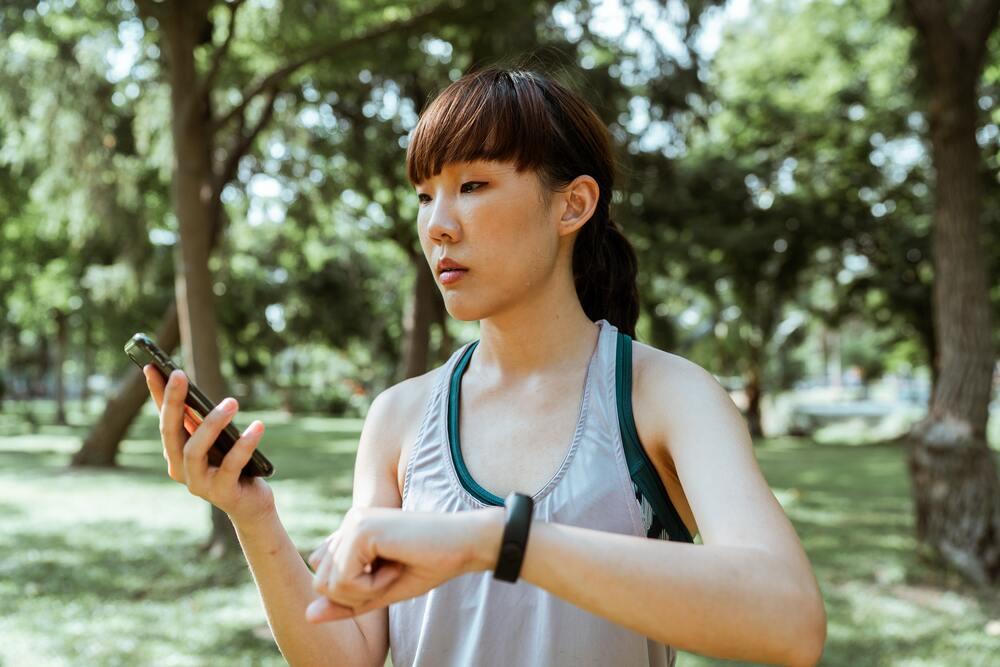


Most people have at least one health and fitness app on their phone that they use to track their movement and monitor various metrics, like distance, speed, time, and calories. While there are many different health and fitness apps, all of them work by using sensor technologies that are built into the device, such as accelerometers, gyroscopes, and GPS location services.
Although fitness apps are intended to provide accurate insight into physical activities and overall well-being, it has always been tempting for users to cheat the system. Why? Well, things like fitness challenges, insurance discounts, social rewards, and move-to-earn tokens are reason enough for people to get creative and look for ways to outsmart their step counters. But is it actually possible to fool such apps and their algorithms to track steps automatically? This is what we are determined to find out—by conducting a bit of an experiment and sharing our findings in this blog post.
To get the answers we need, we will be testing a fitness app, specifically their step counter—let’s not upset any developers by exposing the name of the app—and see if it's possible to cheat their step counter algorithm. To do this, we will be using two testing scenarios.
For the first scenario we will be using a bicycle and an iPhone to see if we can make the app think that the user is walking or jogging, when we are, in fact, cycling. For the second scenario we will be conducting a test in our location testing laboratory—with EMF shields, a Faraday cage, GPS signal spoofing equipment, and a phone holder-pendulum—where we will simulate GPS signals from elsewhere and make the device think that it is moving outside when in reality it will be located inside the box. Both tests will last 10 minutes.
April 2026 update
Since this experiment was published in October 2022, several significant changes affect the findings:
- Google Health Connect API (launched 2023) introduced new data validation layers that make some spoofing methods harder to execute on Android — but not impossible. QA testing must now account for these permission boundaries.
- Apple HealthKit's motion activity API has added machine-learning based step classification in iOS 16+, improving resistance to simple pendulum attacks — but the accelerometer-only spoofing methods documented here still apply to apps that do not use HealthKit's native step detection.
- Move-to-earn landscape: STEPN introduced anti-cheat measures in 2022-2023 following widespread GPS spoofing abuse. Several apps referenced here (Genopets, Dustland) have significantly changed or reduced operations. The category remains active but more contested.
The core testing methodology documented in this post remains valid across all fitness apps that use accelerometer and GPS data without HealthKit/Health Connect integration.
Understanding step counters
Step counters, also known as pedometers, are essential tools for anyone looking to monitor their physical activity and maintain a healthy lifestyle. These devices come in various forms, including wearable gadgets, mobile apps, and integrated fitness trackers. Using a combination of sensors and sophisticated algorithms, step counters can accurately track your movements and calculate the number of steps you take each day by analysing movement patterns from the device's hardware. Whether you’re using a dedicated fitness tracker or a built-in app on your smartphone, these devices help you stay on top of your fitness goals by providing real-time data on your activity levels.
Understanding how they work is the first step to understanding why they can be fooled — and what QA testing needs to account for.
Why would you want to cheat step counters?
Now, you might be thinking—why would I want to cheat step counters in the first place, what do I stand to gain? This may be a bit controversial, but if we are going to talk about the how, then we need to talk about the why as well. That being said, there are actually various reasons that may encourage people to try and outsmart their fitness app, like getting a discount on your health insurance policy or earning financial or social rewards in projects like Charity Miles, Evidation, HealthyWage, Vitality, and so on. People might also be tempted to deceive popular web3 and move-to-earn (M2E) apps, like Genopets, Sweatcoin, Dustland and, of course, Stepn. Or they may want to gain an upper hand in games that require them to move or change locations, like Pokemon Go, or perhaps they just want to trick their friends into thinking that they ran a marathon in an hour. Essentially, the reasons and incentives for cheating step counters are endless.
For app developers and QA teams, the key insight is this: the higher the reward tied to step data, the stronger the incentive to cheat—and the more rigorous the anti-cheat testing needs to be.
Fortunately, the equipment that we are going to be using in this experiment isn't that easy to acquire. Some users might try putting their fitness tracker in a sock or attaching it to a moving object to generate false steps. That means that those who would try to repeat this experiment to “get rich fast” won't be able to do so that easily. But before we get to the actual testing, it's important to understand how fitness apps and step counters work, and how they collect data.
How do step counter apps measure speed, distance and steps?
Step counter apps rely on two primary technologies working in combination: GPS for location and MEMS-IMU modules for motion detection. These technologies are used in various devices and objects like mobile phones, smart watches, planes, cars, industrial machines, drones, and many others.
Location information
When a device modem receives a signal from the GPS satellite, it compares the transmission time against the received time to calculate the distance from that satellite. By having three data sets from three different satellites and knowing their exact position in Earth's orbit, you can calculate the coordinates of the receiver.
Another technology, called Assisted GPS (A-GPS), allows devices to capture GPS signals better. Assisted GPS acquires and stores information about the location of satellites using the cellular network, it uses proximity to cellular towers to calculate positional data. In our case, we used a WiFi signal to help our spoofing solution, which allowed us to easily receive the position of the device under test. However, if the device can detect too many WiFi networks, it may reject the GPS data that we are feeding it through the GSG module and the whole test may fail. Therefore, the EMF shield has to be used.
Using GPS spoofing solution
In one of our earlier blog posts, we describe how we test mobile applications and devices using our GPS spoofing solution—which gives a more in-depth look at GPS signal spoofing and what solutions TestDevLab uses to achieve these results. In order to visualize it a bit easier and get an understanding of how it works, let's look at this diagram:

The main principle is to take a device, put it in the Faraday box, and then by using a GSG Simulator push prerecorded scenarios that contain a GPS signal and global position to make the phone's cache fill with this data, and eventually to make it believe that it is somewhere else.
MEMS-IMU modules
There is a really good video tutorial that explains how IMU chips work in more detail. It explains how the magnetometer chip, accelerometer chip and gyroscope chip work in order to provide us with the data needed to calculate movement and orientations of the movement. In order to understand more about why we need that data, let's discuss each of these chips below.
Accelerometer chip
An accelerometer is a device that uses an electromechanical sensor to measure static or dynamic acceleration. With the help of this sensor, the phone knows whether it undergoes acceleration in any direction, and together with other data from the IMU chip, it’s the reason why your phone’s display switches on or changes orientation when you flip it.
There are two ways that accelerometers can be used to measure step count. The first one is what we described earlier—noticing the device's movement compared to one of the axes. This provides the data that is needed for the device to determine if you are moving and how many steps you take, for example.
The second way is more algorithmic and involves retrieving data from accelerometers for algorithms. Namely, different step counter apps may use their own algorithms and show data in their own specific way. These algorithms use the data that your device provides it with and either sends it to the server to be processed or processes it on your device, thus giving the result displayed on the app's UI. You can read this article on getting raw accelerometer events to learn how this is done.
Gyroscope and magnetometer chip
Modern smartphones use a gyroscope which consists of a tiny vibrating plate on a chip. When the phone's orientation changes, that vibrating plate gets pushed around by the Coriolis forces that affect objects in motion when they rotate.
Compass functionality in phones and tablets is enabled by something a bit more sophisticated, a sensor called a magnetometer, which is used to measure the strength and direction of magnetic fields. By analyzing Earth's magnetic field, the sensor allows phones to determine their orientation pretty accurately.
All of these components form a MEMS IMU chip, and together with a GPS chip they allow our mobile devices to calculate the device orientation in space, determine if we are moving or stationary, and check how fast and in which direction we are headed. However, these technologies are not only used in our mobile devices, but also in drones, cars, planes, smart watches and many other IoT devices as mentioned before.
Testing the fitness app: Methodology
Okay, so now that you know how fitness apps and step counters work and collect data, we can get down to the actual testing. As mentioned at the beginning, we will be using two scenarios:
- Scenario 1 (field test): Can a fitness app be fooled into thinking someone is walking or jogging, when in reality they are cycling?
- Scenario 2 (lab test): Can we trick the fitness app into thinking that someone is walking by using various equipment inside our laboratory to simulate a 10-minute walk outside our office?
Let’s see how we tested both scenarios.
Field testing
At the beginning of field testing, it all started fairly simple with a simple setup—a bicycle and a phone strapped to the crank arm to see if the phone under test would be fooled into believing that it's moving as if somebody was walking/jogging.


The image on the top is the initial setup (we know it looks like the real deal), while the image below it shows our 3D-printed solution for holding any phone inside our GPS spoofing setup. This 3D-printed pendulum is the next level in testing fitness and step counter apps, since it performs the same function as the bicycle crank arm, but inside the laboratory setup. There is even a third, more commercial solution—a mobile swing device—which more or less does the same job. All three solutions have the same goal, but all three have a different characteristic, therefore the results may differ. For this particular field test, an iPhone 7 with iOS 15 was used.
Laboratory testing

Now let's have a look in more detail how the laboratory test is set up and what equipment was used. For the test performed in our dedicated laboratory, we used AT&T Tinno with Android 9 and recorded the scenario using another Android device with GPS tracker software.

To try and trick the fitness app, we decided to go on a 10-minute “walk” outside our office in Riga without actually going on a walk. Instead, we printed a custom-designed phone pendulum that was placed inside the Faraday cage, and after 10 minutes of continuously pushing the phone back and forth, we got some results.


Test results
Now for the fun part—looking at the test results and seeing how successful we were in fooling the fitness app under test using our two different test scenarios. Keep in mind that they are not meant to be compared directly with one another. The two scenarios are there to add more context to the whole story. The field testing results with the bicycle is an example of a scenario that can be used to test fitness apps to determine how accurate and reliable they are. The laboratory test results, on the other hand, show the value of these tests and give a taste of TestDevLab's expertise and unique testing laboratories.
One more thing to keep in mind before analyzing the results is that a person walks about 5 steps every 2-3 seconds with a speed of about 5-6 km per hour. These metrics should be considered in order to better understand this data.
Field testing results
Let's start by looking at the results from the first scenario and see the number of steps that the app recorded during the 10-minute cycle with the phone strapped to the crank arm.

From the results, we can see that the number of steps recorded during the field test with the device strapped to the bicycle’s crank arm is much higher than the actual number of steps. Specifically, we can see that the app recorded 1,277 steps while cycling. This is due to the fact that the device strapped to the bicycle makes a lot of rotations, thus making the device think we are making a lot of steps. These results prove that this method can be used to cheat the step counter in a relatively cheap and easy setup. However, for the best results, the tests need to be standardized and planned accordingly to certain goals.
Laboratory testing results

We see the opposite situation happen in the laboratory test. The actual step count for the 10-minute “walk” is 815, while the step count from the laboratory test for the same distance and time is 600. There are several possible reasons for this:
- There is a bug in an application. Since we are feeding the app GPS data and swinging the phone in a cage, it might experience difficulties showing correct data.
- The holder-pendulum that is used in the setup may make the phone record a different combination of data compared to the actual walk.
- The cycling scenario may need improvement since even though the same distance was walked/cycled, the time used to bypass this distance is different and therefore these scenarios should be standardized.
All of the circumstances above could be the reason for such a big difference in the data, but in time with corrections being made to the whole setup and more tests being done, it could be calibrated more precisely and any inconsistencies or differences in the data from that moment could be considered system bugs or systems failures.
Curious how your fitness app holds up against these methods?
We offer sensor accuracy and anti-cheat testing for mobile health and fitness apps using the same GPS spoofing and motion simulation equipment shown in this experiment.
How users cheat step counter apps — and what your algorithm misses
Based on our testing and research, here are the most common cheating methods with a technical explanation of why each one works at the sensor level:
- Attaching to a rotating object (bicycle crank, dog collar, fan blade). The periodic rotation produces accelerometer data at a frequency that matches the step detection algorithm's expected cadence. Apps that rely purely on accelerometer step counting without cross-referencing GPS speed are especially vulnerable. For instance, a device travelling at 15 km/h on a bicycle should not be recording walking-cadence steps.
- Pendulum or swing device. Swinging the device in a consistent arc mimics the vertical acceleration pattern of arm movement during walking. Commercial 'phone swing' devices on Amazon are designed specifically for this purpose and are widely known among users of reward-based apps.
- Twirling or shaking. Rapid circular or back-and-forth motion creates high-frequency accelerometer events that many algorithms count as steps, particularly simpler implementations that do not apply cadence filtering.
- GPS spoofing (for location-dependent apps). Apps that calculate steps or distance from GPS position changes—rather than or in addition to accelerometer data—can be fooled by feeding the device false location data. This is more technically demanding but completely defeats GPS-dependent step calculation.
- Motion from other activities (driving, escalators). Vibration from vehicle motion or escalator movement can register as steps in apps with low-sensitivity thresholds. This is a known issue that legitimate users sometimes encounter and that bad actors can deliberately exploit.
These cheating methods undermine the accuracy of step counter apps, leading to misleading data and potentially affecting users’ fitness goals.
For QA teams, each of these methods represents a testable attack vector. A comprehensive fitness app QA process should attempt all five before launch.
When step counter fraud affects your product
For end users, step counter fraud is a minor inconvenience — they get an inflated step count and feel good about themselves. For developers and product teams, the stakes are considerably higher:
- Insurance partnerships: If your app powers an insurer's activity discount programme, fraudulent step data translates directly into unearned premium reductions. Insurers will hold the app developer responsible for data integrity.
- Financial rewards and move-to-earn: Apps that convert steps into cash, vouchers, or tokens face direct financial losses from cheating. STEPN's anti-cheat measures were implemented specifically in response to widespread GPS spoofing that was draining the token reward pool.
- Corporate wellness programmes: Enterprise clients running step-based wellness challenges expect accurate data. Fraud undermines programme credibility and can damage client relationships.
- App Store reputation: Users who discover that step counters can be easily gamed post about it. If your app becomes known as 'easy to cheat', it affects review scores and organic downloads.
- Regulatory risk: Health data apps operating in the EU under GDPR, or health-adjacent apps in the US under FTC guidelines, may face scrutiny if they make claims about activity tracking accuracy that do not hold under testing.
The common thread: cheating that is not caught in QA testing will be found by users and the consequences scale with how much real-world value is attached to the step data.
Testing anti-cheat systems in move-to-earn and reward-based fitness apps
Move-to-earn (M2E) apps occupy a unique position in the fitness app landscape: they attach direct financial or token value to every step recorded. This raises the stakes of step counter fraud from annoying to financially material.
STEPN, the most prominent M2E platform, introduced anti-cheat detection in 2022 after GPS spoofing caused significant token inflation. Their approach combines:
- Accelerometer cross-validation. GPS-implied speed is compared against accelerometer-derived cadence. Mismatches flag suspicious sessions.
- Device motion pattern analysis. Machine learning models trained on real walking data flag sessions where motion signatures are inconsistent with human movement.
- Behavioural analytics. Sessions from known VPN exits, unusual geographic patterns, or statistically improbable speed changes are flagged for review.
For QA teams building or testing M2E platforms, the testing scope must go beyond basic step count accuracy:
- Does the app detect a pendulum or swing device generating steps without GPS movement?
- Does the app detect GPS movement without corresponding accelerometer cadence?
- Does the app flag sessions originating from GPS spoofing environments (unusual signal accuracy, no signal variation)?
- Does the anti-cheat system produce false positives that flag legitimate users in areas with poor GPS signal?
Building a move-to-earn or reward-based fitness app?
Your anti-cheat system needs to be tested against the methods documented in this post before launch. We specialize in GPS spoofing resistance testing and sensor accuracy validation for M2E and reward platforms.
What this experiment proves for QA teams
Our experiment confirms that fitness app step counters can be fooled using accessible, low-cost methods. A bicycle crank arm generated 1,277 false steps in 10 minutes. A laboratory GPS spoofing and pendulum setup produced a plausible (if imprecise) simulated walk, with 600 steps recorded against an expected 815.
These are not theoretical vulnerabilities. They are reproducible test scenarios that any QA team can execute. The field test method in particular requires nothing more than a bicycle and a phone mount.
For fitness app developers, the implications are clear:
- Any app that awards real value based on step data needs anti-cheat testing before launch
- Testing should include both hardware methods (rotating attachments, pendulums) and software methods (GPS spoofing, mock location apps)
- Anti-cheat measures should cross-reference accelerometer cadence with GPS speed — neither data source alone is sufficient
- Testing should be repeated after every major iOS or Android update that changes sensor APIs or HealthKit/Health Connect behaviour
There is always room to take things even further by introducing different phone models, IoT devices, locations, trajectories, more testing variables, and even adding automation scenarios to this project. Nevertheless, we achieved what we set out to do and got the answers we were looking for.
FAQ
Most common questions
Can you cheat a fitness app step counter?
Yes, our testing demonstrated that attaching a phone to a bicycle crank arm generated 1,277 false steps in 10 minutes, and a GPS spoofing plus pendulum setup produced 600 steps for a simulated walk that was not taken. Most standard step counter algorithms are vulnerable to physical motion spoofing. Apps that cross-reference GPS speed with accelerometer cadence are more resistant but not immune.
What is the easiest way to generate false steps on a fitness app?
The simplest method is attaching the device to any object with periodic rotational motion—a bicycle crank arm, a dog's collar, or a commercially available 'phone swing' device. This exploits the accelerometer-based step detection without requiring any technical knowledge or equipment. More sophisticated methods include GPS spoofing for location-dependent apps.
What sensors does a fitness app use to count steps?
Most fitness apps use three sensor types in combination: the accelerometer (detects vertical oscillation characteristic of walking), the gyroscope (detects rotation and orientation changes), and GPS (tracks location movement). Some apps also use the magnetometer for directional data. The step counting algorithm processes data from these sensors and the quality of the algorithm determines how resistant it is to spoofing.
How should fitness app developers test step counter accuracy?
A comprehensive QA approach should include: (1) field tests with hardware attachments (bicycle, pendulum, swing devices) to validate accelerometer-based detection, (2) GPS spoofing tests in a controlled environment to validate location-based step calculation, (3) cross-reference validation tests where GPS and accelerometer data are deliberately mismatched, and (4) regression testing after every major OS update that changes sensor APIs. TestDevLab operates a dedicated location testing laboratory with GPS spoofing capability for exactly this purpose.
What is GPS spoofing and how does it affect fitness apps?
GPS spoofing is the process of broadcasting false GPS signals to a device, causing it to believe it is in a different location. In a testing context, a GNSS simulator inside a Faraday cage (which blocks real GPS signals) can feed pre-recorded location scenarios to a test device. Fitness apps that use GPS to calculate distance, speed, or step count based on location changes are directly vulnerable. Apps that have implemented A-GPS cross-validation or require consistent cellular/WiFi network data alongside GPS are more resistant.
Do you have a health or fitness app—or any app that depends on location and sensors?
With our custom solutions and setups, we can test your app against the full range of cheating methods and make sure your app cannot be broken by curious users.