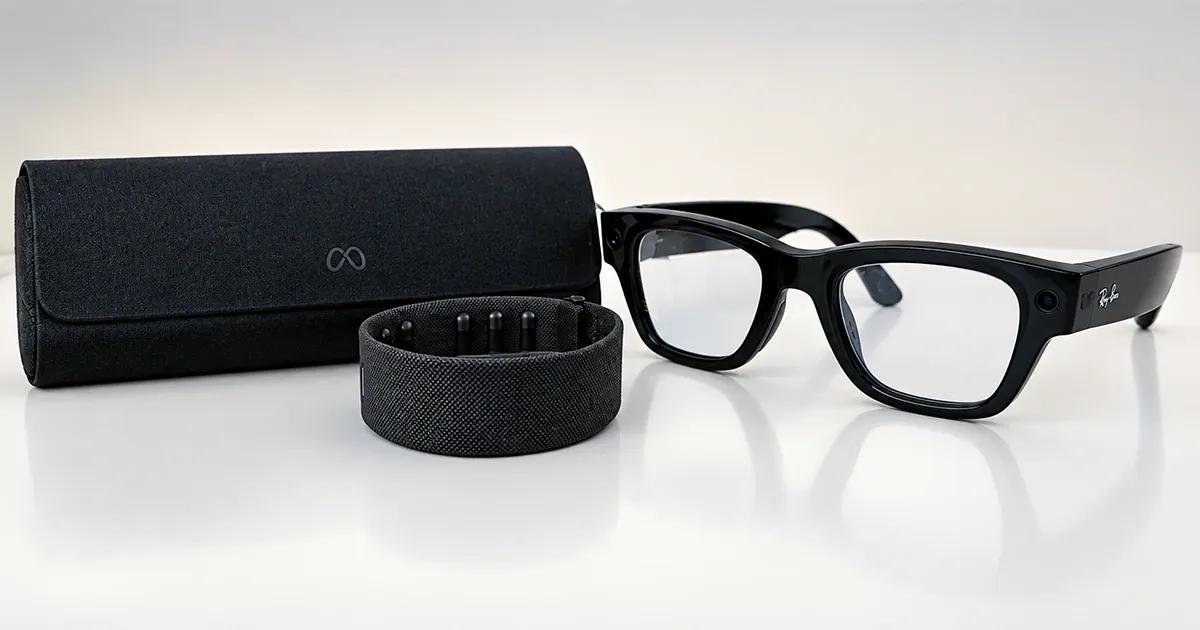


The first part of performance testing for AR/VR devices covered the battery cost of the Xreal One and the Meta Quest 2. This article covers the third device, the Meta Ray-Ban Display, smart glasses with a display built into the right lens.
With only 248 mAh to work with, every feature shows up in the battery numbers. We tested four everyday activities against an idle baseline: audio streaming, Instagram Reels on the lens, photo capture, and video recording.
TL;DR
30-second summary
Five scenarios, three runs each, measured with a Monsoon power monitor wired directly to the glasses. Idle sits at about 12.5 mA. Everything we added on top cut estimated battery life, and the camera cut it hardest.
- The camera is the biggest drain: One photo every 10 seconds averaged 277 mA and video recording averaged 310 mA, about 22x and 25x idle.
- Photos nearly match video: Shooting a photo every 10 seconds cost 277 mA, against 310 mA for continuous recording.
- Reels empty the battery in under two hours: At 133 mA, continuous Reels modeled out to 1.87 hours on a full charge.
- Audio is the cheapest activity: Audio streaming averaged 51 mA, good for 4.85 hours of continuous playback.
- Repeat runs agreed: Reels, photo, and video runs stayed within about 5% of each other across three runs.
The device
The Meta Ray-Ban Display pairs a color display in the right lens with camera and open-ear speakers, and takes input from the Meta Neural Band.
| Spec | Meta Ray-Ban Display |
|---|---|
| Display | 600 × 600 px, full color, right lens |
| Camera | 12 MP |
| Battery (glasses) | 248 mAh |
| Rated battery life | Up to 6 hours mixed use; up to 24 more hours from the charging case |
| Meta Neural Band | Up to 18 hours |
| Input | Meta Neural Band, voice |
There is no USB data connection on these glasses, so the CPU and memory capture we ran on the Quest 2 in Part 1 was not possible. Battery is the only signal here.
Metrics explained
- Average current (mA): The mean current the glasses drew over the run, measured at the battery.
- Added power draw (mW): The power the activity adds on top of the idle baseline.
- Estimated battery life (EBL): How long the glasses would last running that activity continuously from a full charge: 248 mAh divided by the average current. It is a modeled figure for comparing activities, not a real-world estimate.
Methodology and scope of the battery test
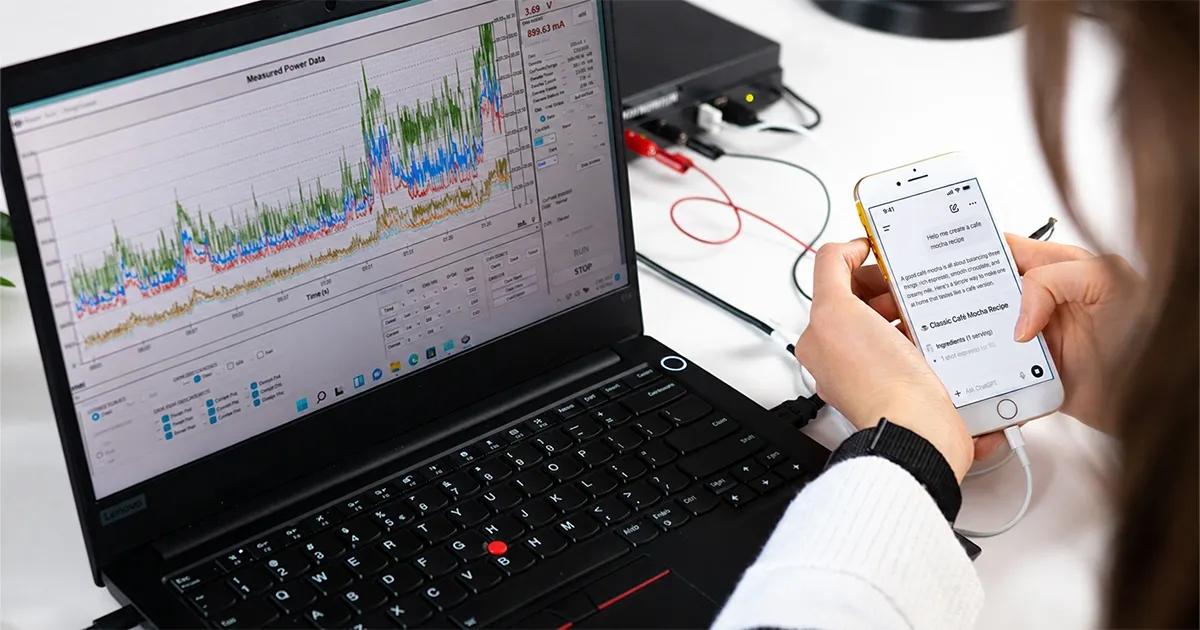
We measured battery draw with a Monsoon HVPM power monitor wired directly to the glasses. For more on our hardware setup, see How We Test Mobile App Battery Usage and Automated Battery Testing Using Monsoon Python API.
Device tested: Meta Glasses Display on the latest available firmware: v128, worn with its Meta Neural Band.
Scenarios:
| Scenario | Run length | Test conditions |
|---|---|---|
| Idle baseline | 5 min | Display off, no activity |
| Audio streaming | 5 min | Continuous audio playback through the open-ear speakers, streamed from a paired mobile phone at 50% volume |
| Instagram Reels | 5 min | Reels played on the in-lens display over Wi-Fi |
| Photo capture | 1 min | One photo about every 10 seconds |
| Video recording | 1 min | Video recording, with about 10 seconds before recording started |
Additional information:
- We carried out three runs per scenario.
- The idle baseline was measured with the display off. Scenarios that use the display are compared against that same baseline, so their added draw includes the display.
- The Meta Neural Band was worn during all runs.
Results

| Scenario | Avg current | Added power draw | Est. battery life | Decrease vs. idle |
|---|---|---|---|---|
| Idle baseline | 12.5 mA | - | 19.8 hours | - |
| Audio streaming | 51.1 mA | 136 mW | 4.85 hours | 76% |
| Instagram Reels | 132.9 mA | 450 mW | 1.87 hours | 91% |
| Photo capture | 277.2 mA | 1,004 mW | 0.89 hours | 96% |
| Video recording | 310.4 mA* | 1,131 mW | 0.80 hours | 96% |
*Averaged over the full 60 seconds, which includes about 10 seconds before recording started. Recording-only draw was about 325 mA.


Audio is the cheap end of the list at 51.1 mA, 4.1x idle. It also had the widest run-to-run spread as a share of its average (48.9 to 53.4 mA), but that is only a few milliamps.
Moving from audio to Reels takes the average to 132.9 mA, 2.6x audio streaming. The three runs landed within 3 mA of each other (131.4 to 134.3 mA), so the number holds up. Run continuously, that draw empties a full charge in under two hours.
On the Monsoon capture, each shutter press in the photo runs stands out as a spike between 406 and 435 mA, about every 10 seconds, on top of a 277.2 mA average.
Video recording was the heaviest scenario: 310.4 mA over the full minute and about 325 mA once recording began, about 6x audio streaming.
The camera costs more than capturing
Photo and video land closer together than the activities would suggest. One photo every 10 seconds drew 277 mA, about 89% of what continuous recording drew over the same minute.
The 10 seconds before recording started in our video runs add a data point. In that window the glasses already averaged 231 to 245 mA, about 19x idle, before a single frame was recorded. Opening the camera is part of that window, so it does not isolate the camera-ready state by itself. The data suggests most of the camera's cost comes from keeping it active, with each shutter press adding a smaller amount on top. We did not test this directly.
Know what every feature costs your battery
Small batteries make every camera, display, and audio feature show up in runtime, and estimates rarely match real use. TestDevLab measures battery draw on real devices with hardware-level power monitoring, so you can see what each feature costs before you ship.
Limitations
- Photo and video were measured over 1-minute runs, shorter than the 5-minute runs for the other scenarios. Battery life for these two is extrapolated from a short window.
- The video average includes about 10 seconds before recording starts. Recording-only draw is about 325 mA.
- Only the glasses were measured. The Meta Neural Band was worn during the tests, but its battery draw is not included, and neither is the paired phone's.
- Meta AI's Live AI feature is not available in our testing region, so it is not part of this test.
- CPU and memory were not captured because the glasses have no data connection.
How this compares to Meta's 6-hour claim
Meta rates the glasses for up to 6 hours of mixed use. In our tests, no single display or camera activity comes close to that when run continuously. On 248 mAh, how the glasses are used matters more than how long they are worn. Idle, they last most of the day. Reels cut that to under two hours, and anything involving the camera cuts it below one.
What this means if you're building for smart glasses
Budget for camera-ready time
The data suggests the camera draws heavily before and between captures, not only during them. If your feature holds the camera open while it waits for the user, that waiting time likely accounts for much of the drain, so measure it on hardware before you ship.
Prefer audio where the content allows it
Reels on the lens drew about 2.6x the current of audio-only playback, so audio-first delivery buys the glasses extra runtime.
Measure on hardware
The glasses have no USB data connection, so the adb-based tooling we used on the Quest 2 was not available. Power-monitor testing on the real device produced every number in this post.
Appendix: Per-run data
| Scenario | Run 1 | Run 2 | Run 3 |
|---|---|---|---|
| Idle baseline | 13.1 mA | 12.6 mA | 12.9 mA |
| Audio streaming | 53.4 mA | 48.9 mA | 51.1 mA |
| Instagram Reels | 134.3 mA | 133.0 mA | 131.4 mA |
| Photo capture | 273.1 mA | 277.2 mA | 281.3 mA |
| Video recording (full 60 s) | 314.2 mA | 315.3 mA | 301.6 mA |
| Video recording (recording only) | 329.0 mA | 331.8 mA | 312.7 mA |
| Video recording (first 10 s) | 239.2 mA | 230.8 mA | 245.0 mA |
FAQ
Most common questions
How long does the Meta Ray-Ban Display battery last?
Meta rates the glasses for up to 6 hours of mixed use, plus up to 24 more hours from the charging case. In testing, idle with the display off lasted a modeled 19.8 hours on the glasses’ 248 mAh battery. Audio streaming dropped that to 4.85 hours, Instagram Reels to 1.87 hours, photo capture to 0.89 hours, and video recording to 0.80 hours. These are modeled continuous-use figures for comparing activities, not real-world estimates.
Which activity drains the Meta Ray-Ban Display battery fastest?
Video recording and photo capture drained the battery fastest, and both cut estimated runtime to under one hour. Video recording averaged 310.4 mA over the full minute and about 325 mA once recording began, while photo capture at one photo every 10 seconds averaged 277.2 mA. Instagram Reels on the in-lens display averaged 132.9 mA, and audio streaming was the lightest active scenario at 51.1 mA. Idle averaged 12.5 mA.
Does the camera on smart glasses use battery when it isn’t capturing?
The data suggests it does. In the video runs, the 10 seconds before recording started already averaged 231 to 245 mA, about 19x idle, before a single frame was recorded. One photo every 10 seconds also drew about 89% of what continuous recording drew over the same minute. That points to most of the camera’s cost coming from keeping it active, with each shutter press adding a smaller amount on top, though this wasn’t tested directly.
How was the Meta Ray-Ban Display battery tested?
Battery draw was measured with a Monsoon HVPM power monitor wired directly to the glasses, on firmware v128 with the Meta Neural Band worn. Five scenarios ran three times each: a 5-minute idle baseline with the display off, 5 minutes of audio streaming, 5 minutes of Instagram Reels over Wi-Fi, and 1-minute photo capture and video recording runs. Estimated battery life is the 248 mAh capacity divided by average current, a modeled figure for comparing activities rather than a real-world estimate.
How should developers reduce battery drain on smart glasses?
Prefer audio where the content allows it, since Reels on the lens drew about 2.6x the current of audio-only playback. Budget for camera-ready time, because the camera appears to draw heavily before and between captures, not only during them. Measure on real hardware, since the glasses have no USB data connection and adb-based tooling like the Quest 2 setup isn’t available. Power-monitor testing on the device produced every number in this test.
Building an app or feature for smart glasses?
See how it affects battery life on real hardware. We benchmark battery consumption and performance on real devices using lab-grade Monsoon power monitoring equipment.